About us Services Cases Pricing Blog Contact Get a quote →
RUEN
Doctor AI mobile app: stethoscope, smartphone and a cup of tea on a wooden table by the sea at sunset

Doctor AI: an app that makes sense of your symptoms — understands your complaints and explains what to do next

An in-house OM-Digital project built with Flutter. You can download it and try it right now — the first five reviews are free. It also serves as a live example of how we design and build mobile apps with AI inside.

What it does

A person describes their symptoms in their own words or attaches a photograph of a test result, and gets an AI review: what is going on, what to pay attention to, which doctor to see and how urgent it is. If the situation looks like an emergency, the app says so plainly: call the emergency services.
What is inside
AI review of symptoms from text and files (PDF, JPG, PNG)
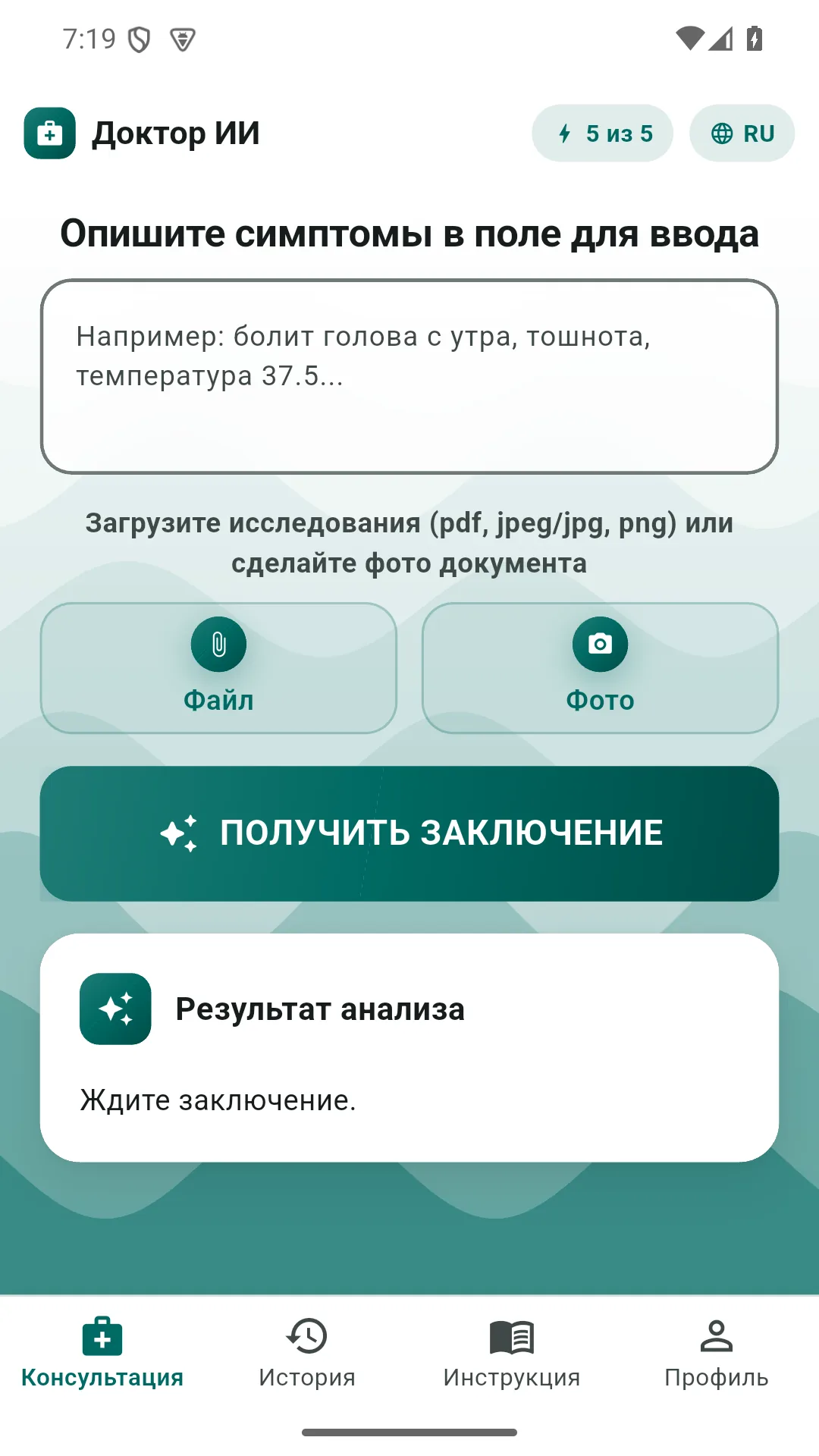
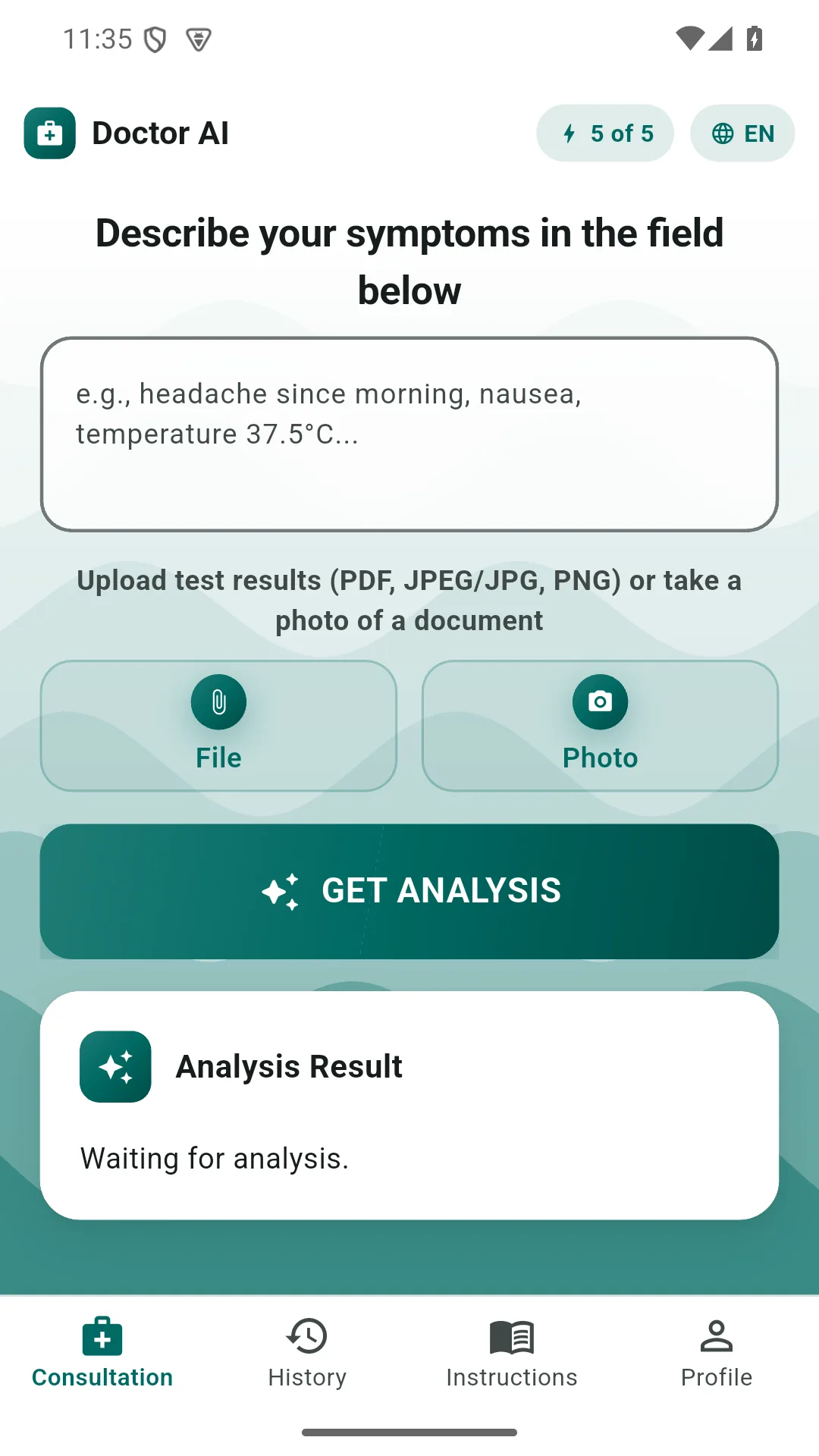
A clear waiting state while the answer is prepared — you can see the app is working
A clean result with no technical clutter: tables and lists from the model become plain, tidy lines
A history of every past consultation, to hand at any moment
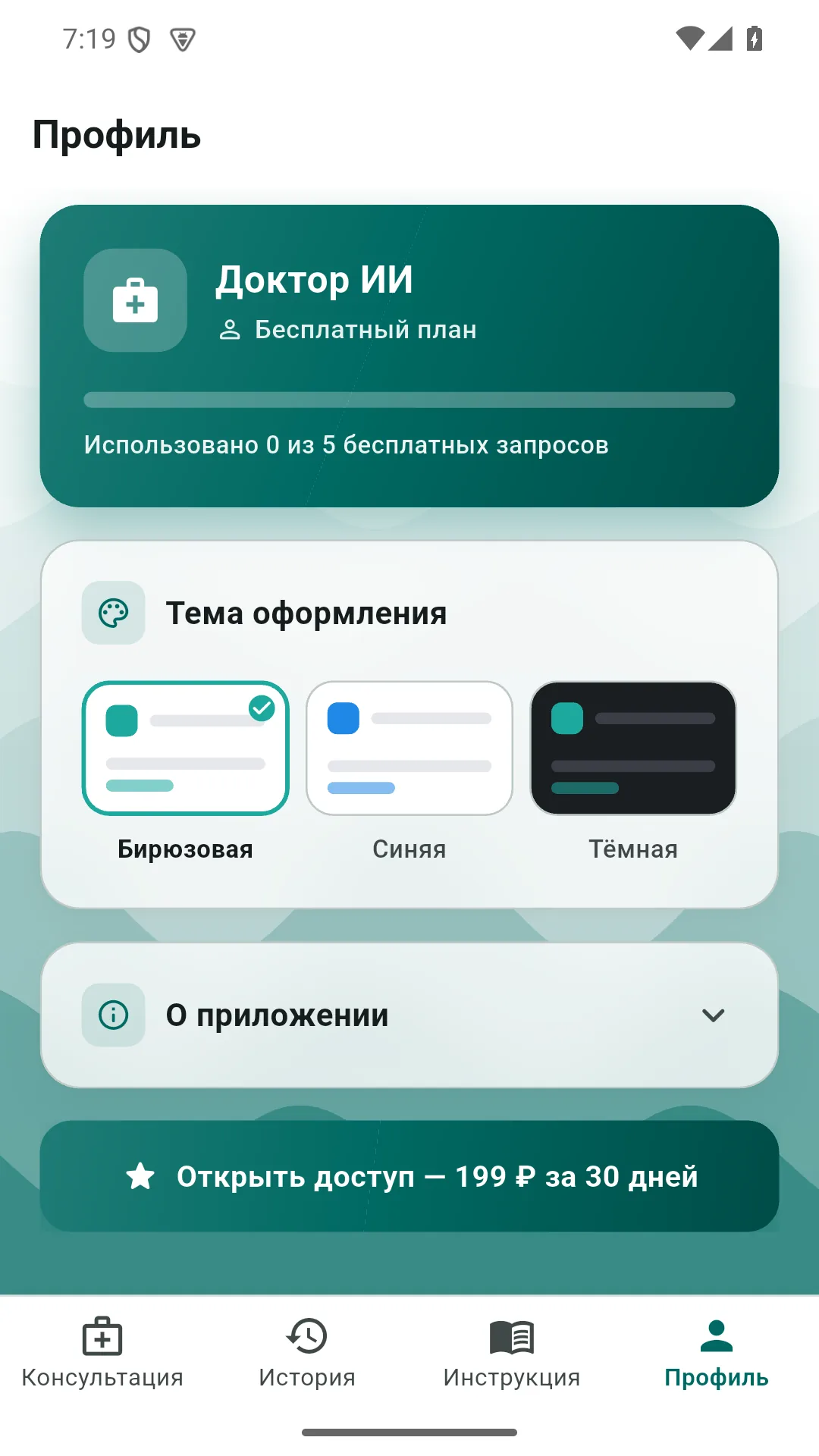
Three themes with the signature wave background: turquoise, blue and dark
A flexible profile — technical settings are hidden by default, so nothing distracts from the point
All data is stored locally, on the device itself
A plain note on every screen: the app does not replace a doctor, it helps you get your bearings
How it looks
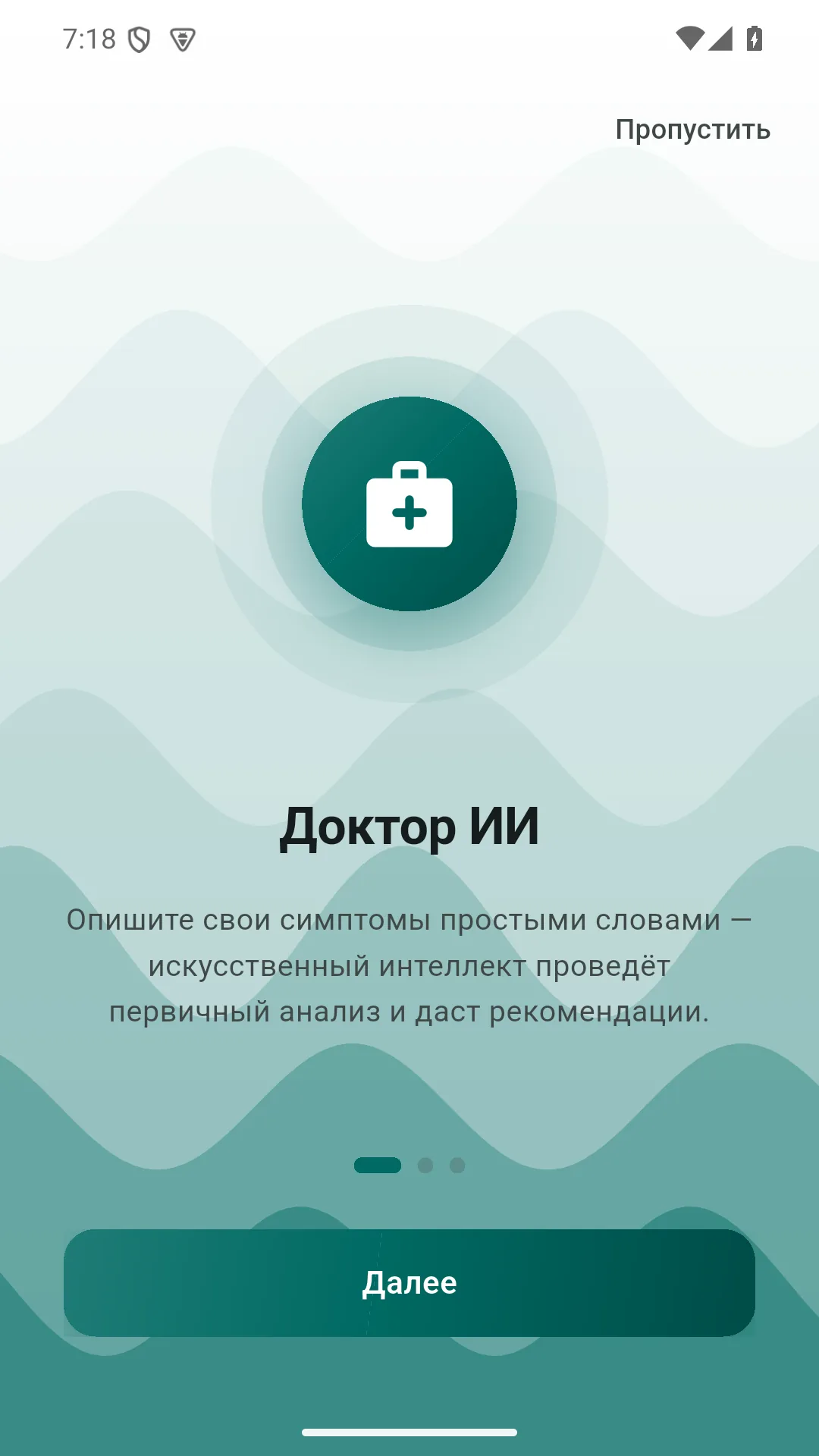
The Doctor AI start screen, turquoise theme
The Doctor AI consultation screen, turquoise theme
The Doctor AI consultation screen in English, turquoise theme
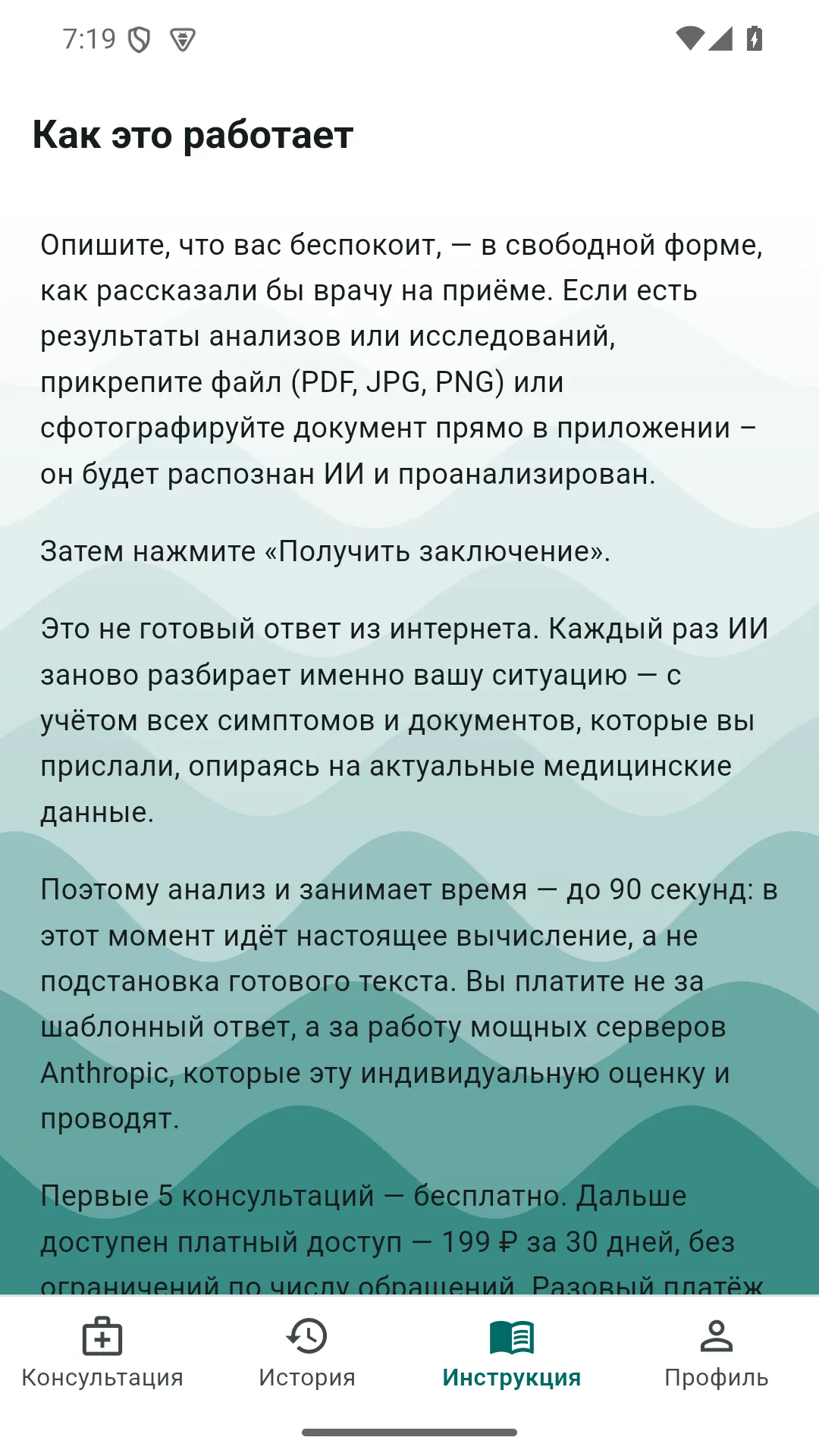
The Doctor AI “How it works” screen, turquoise theme
The Doctor AI profile screen, turquoise theme
Download

The app is available — install it and try it

The first five reviews are free: no registration, no card details. The consultation history stays on your phone.

Version 1.0.12 (19)— the file above is this exact version

💳 What it costs

The first five reviews are free: no registration and no card details. After that, access costs ₽199 (≈ $2) for 30 days, with no limit on the number of questions.

This is a one-off payment, not a subscription: there is no auto-renewal and no money is taken by itself. When the 30 days end, the app simply offers to pay again — the choice is yours. Payment is by card or instant bank transfer on a secure payment page; card details never pass through the app and are not stored by us. A receipt is sent to your email — the app asks for the address once, before the first payment.

A question about payment or a refund — newlife2506@yandex.ru, we answer every message.

⚕️ An important note about health

Doctor AI is an informational assistant, not a diagnosis and not a substitute for seeing a doctor. It helps you make sense of the wording, understand what the numbers mean and decide which specialist to see. If the situation looks like an emergency, the app says so plainly: call the emergency services. More about data in the app privacy policy.
What this app is

Doctor AI: symptoms and test results reviewed on your phone

Doctor AI is an app that helps you make sense of your own symptoms and test results before seeing a doctor. It does not diagnose and does not prescribe: it explains the wording, shows what an out-of-range value means and suggests which specialist to see. Unlike searching online, where ten minutes of reading leaves a person convinced they have a rare disease, the conversation stays calm and to the point.

How it works

The format is simple: it is a chat. You describe what is bothering you in ordinary words, without medical terms, and get a review. You can attach a photograph of a test form — the app reads the values and explains them in plain language. The conversation history is saved, so you can return to an earlier review before an appointment instead of trying to remember the wording.

Online, with nothing extra to install

The AI doctor works right inside the app on your phone — no separate computer and no appointment needed. The first consultations are free: you can try it immediately after installing, to see whether the format suits you, before paying anything. After that a paid period applies, but a free basic level remains — the app does not turn into a paywall after the first question.

What people ask most often

People use it in three situations above all: an unexplained symptom appears and the appointment is a week away; test results are in hand but nobody will explain them until the appointment; after the appointment a question comes to mind that they forgot to ask. In all three, what helps is simply being able to ask — in your own words, at night, with no queue and no booking.

What is inside

At the core of the app is a large language model working from medical reference material, with firm limits: the app does not prescribe medication and does not override a doctor's instructions, and where there are signs of an emergency it says plainly to call the emergency services. We made those limits explicit on purpose: an assistant should reduce anxiety and save time, not replace a specialist.

Where to download it

The app is published on RuStore and installs on Android. The install link is above on this page, and the APK file is there too if you prefer to install manually. It works on phones and tablets, and the interface adapts to large system font sizes.

Need an app like this?

When you decide your business needs a mobile app with AI inside — from the idea to a finished build — write to us and we will talk it through in five minutes.

Discuss your task →

Why this app exists

You can get a blood test cheaply at almost any laboratory — the difficulty starts afterwards, when you are holding a form with twenty lines and no idea which of them matter. The app explains each value in plain language and points out what to raise with a doctor first.

Making a health app helpful rather than frightening is a task where the cost of a mistake is higher than usual, which is why there are no diagnoses and no prescriptions here: only a reading of what is already written on your form, and a calm explanation of what it means.

Frequently asked questions

Is it free?

The first five reviews are free, with no registration and no card details. After that access costs ₽199 (≈ $2) for 30 days with no limit on the number of questions. It is a one-off payment, not a subscription: there is no auto-renewal and no money is taken by itself — when the 30 days end, the app simply offers to pay again.

Is an internet connection needed?

Yes, for the review itself: the app calls the AI, and without a connection the request will not go through. The history of past consultations, however, is stored on the phone and opens offline.

Where is my data stored?

Locally, on the device itself. Symptoms and photographs of test results go to the AI only for the duration of the review; the consultation history stays on your phone, not on our servers.

Which devices does it work on?

Android 5.0 and newer, phone or tablet. Through RuStore or directly from the APK file on this page.

How does it update?

Through RuStore it updates itself, with nothing to track. If you installed from the APK, you download the new version from here again.

How is this different from searching symptoms online?

Ten minutes of online reading usually convinces a person they have a rare disease. Here the conversation follows your specific words and files, calmly and to the point, and where there are signs of an emergency the app says plainly to call the emergency services — instead of frightening you with diagnoses.

How to use Doctor AI: a step-by-step guide

Install the app from RuStore or via the APK file on this page (Android 5.0 and newer). Open a new consultation and describe what bothers you in plain words — no medical terms needed; attach a photo or PDF of a lab report if you like. Within seconds you get an explanation: what is going on, what to pay attention to, which doctor to see and how urgent it is. The history is stored on your phone, so you can return to it before an appointment. The first five consultations are free, no sign-up required.

Does the AI symptom checker work in my language?

Yes. Both questions and answers are in plain language: you write the way you would tell a doctor, and the app replies clearly, without technical clutter. It is an information assistant, not a diagnosis: if the situation looks like an emergency, the app tells you outright to call the emergency number.